
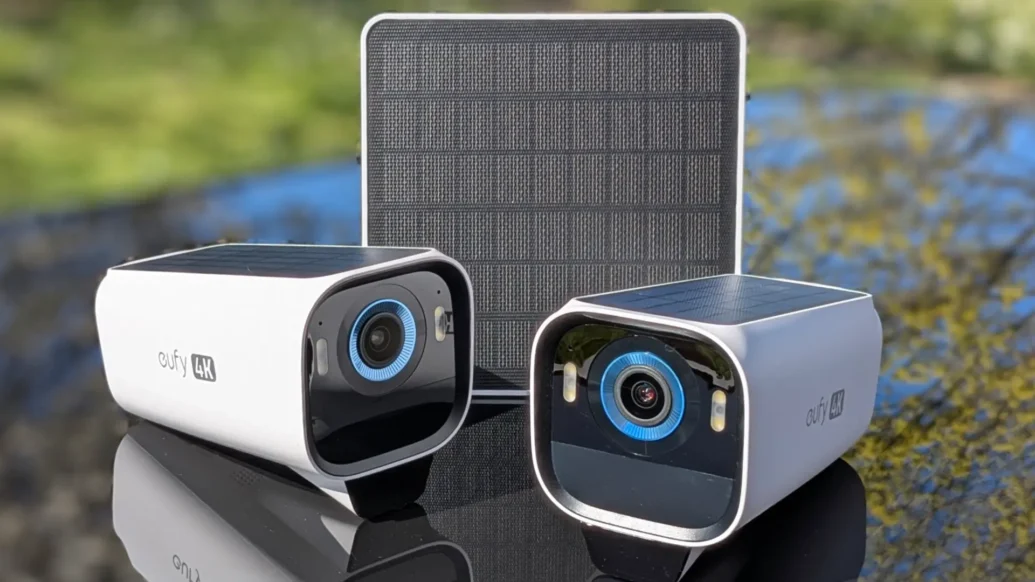
Home security systems have been around for decades, surveilling people and property on many different scales. As technology advanced and cameras got smaller and more affordable, home security became more commonplace. Tech firm Eufy has taken it to the next level, with solar-powered systems that even the technologically inept can use with ease. Challenge accepted — we put the EufyCam S3 Pro 2-Cam kit to the test to see if it was really that easy.
Pros
+ Easy to set up and use
+ Other items from the range can be added to the ecosystem
+ Excellent picture quality, particularly in low light
Cons
– Cameras only come in white
– Familiar face recognition not good enough, as it still sends notifications, even when instructed not to
– A little pricey
EufyCam S3 Pro 2-Cam kit: What’s included, and how does it work?
The S3 Pro 2-Cam kit comes with two S3 Pro cameras, the Homebase S380 base station, and an external solar panel. There’s also all the cables and mounts you’ll need, right down to screws and wall plugs.

The first step in setting up the system is to download and register for the Eufy app. The app walks you step by step through the process of connecting the Homebase S380 base station to the router and wirelessly connecting the cameras to the base station. It’s an entirely intuitive process, but the app guidance ensures you get it all connected correctly the first time.
If you have other Eufy products in your home, such as the X10 Pro Omni robot vacuum cleaner, they can all be controlled from the same app, which is a nice, neat touch. Like the Eufy Clean app, the profile can then easily be shared with others in your household with the Eufy app installed on their device, so that everyone you want to have access can use and view the system.

The base unit — the Homebase S380 — is the heart of the system. It stores up to 16GB of data, although you can add a larger hard drive to store the data for longer. Eufy will sell you a 1TB drive as part of the kit, but pretty much any 2.5-inch drive will be a cinch to install. The base station uses Eufy’s BionicMind AI to learn about the people who are most frequently at your home. You can teach it that family members don’t need to trigger an alert to prevent endless notifications if the kids are playing in the garden, or you’re pottering about outside the house.
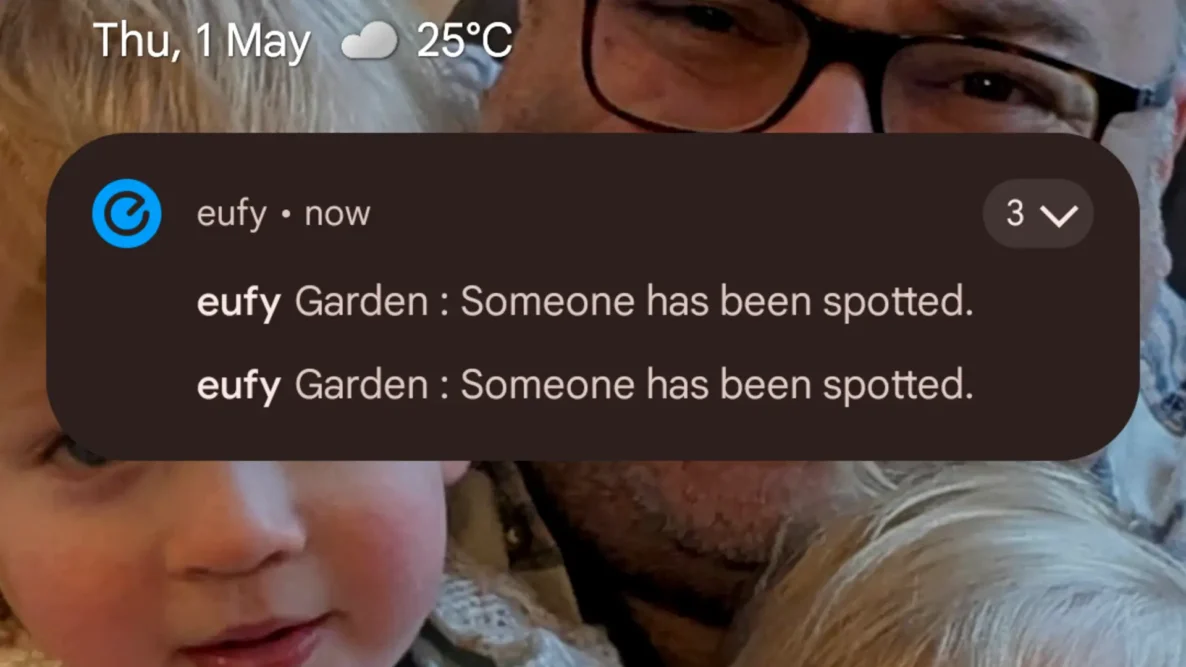
It’s a great idea, and it was easy to label the well-known faces in the app, but it wasn’t immediately obvious how to tell the system not to send detection notifications for known people. We did eventually find it in the setting for the base station. However, the system is somewhat flawed.
Even when familiar faces were labelled correctly and recognised by the system, notifications were still sent just about every time. A little research on an Eufy community site suggested that it is a problem the firm is aware of, but there is no fix for the issue yet. Hopefully, an update will be rolled out soon, as it would be a great function — if it worked.
You can also customise detection zones and ranges, so if your camera is pointing towards another house or a road, you can ensure that you only capture movement on your property and the sensors aren’t being triggered endlessly by people walking or driving past your home.
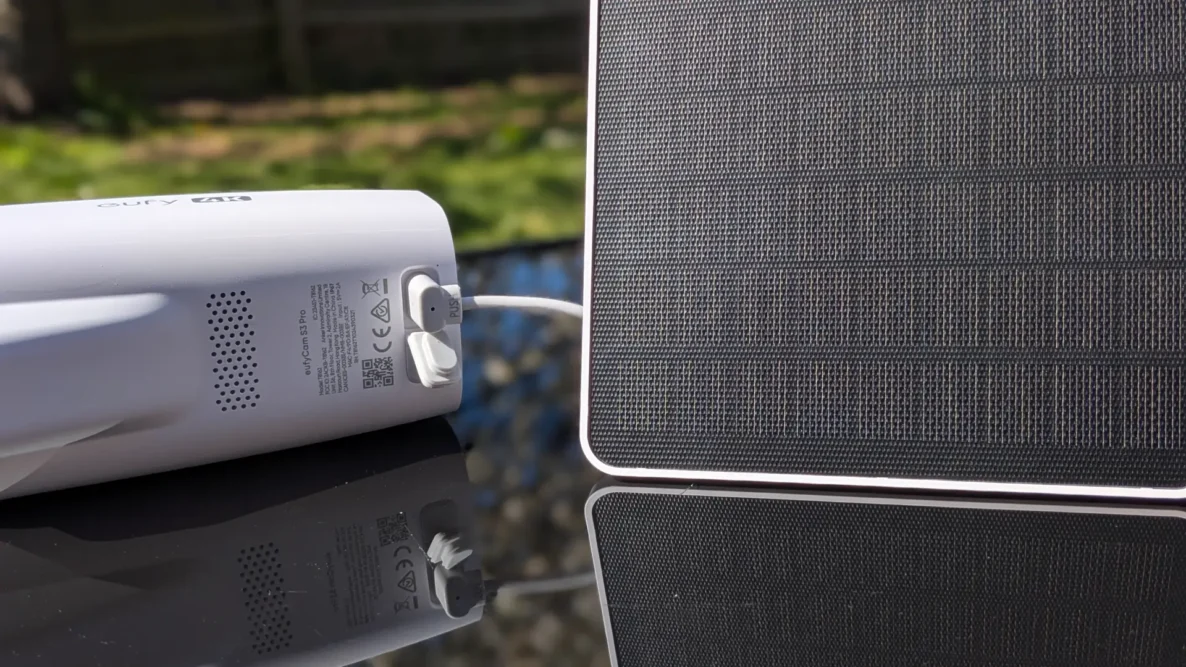
Each camera has an integrated solar panel to provide the power it needs to cover an average day and night of filming. Cameras need about an hour of sunlight per day to keep a good level of charge, and, so far, our testing suggests that even our dull UK weather provides enough sunlight to keep things going. If the camera needs to be mounted in a more shaded spot, such as to the side of the house or under the eaves, the external solar panel can be mounted to catch more sunlight and connected to the camera to top it up.
Fee-free secure data
One of the significant advantages of EufyCam is that no monthly subscription is required to use the system. While Ring and others will charge you a fairly hefty monthly fee to look after your data and stream your live views and recordings — and increase the fee with little warning — the Eufy system does things differently.
All your data is stored and accessed locally, so there are no fees or contracts to contend with. If you want to be super secure, you can even set the system to keep all footage local, meaning it never leaves your property — not even to the cloud — although Eufy still give you the opportunity to stream views via the system’s smartphone app.
You can even set the system to keep all footage local, meaning it never leaves your property — not even to the cloud.
While we can’t vouch for just how secure the system is, you’re not handing your data over to a third party and being charged for the privilege. On paper, it’s safer and cheaper for you.
What about installation?
Installation of the cameras is straightforward and can be done in a matter of minutes with the right tools. Once you’ve picked where you want to mount the camera, just drill two holes and attach the mount.
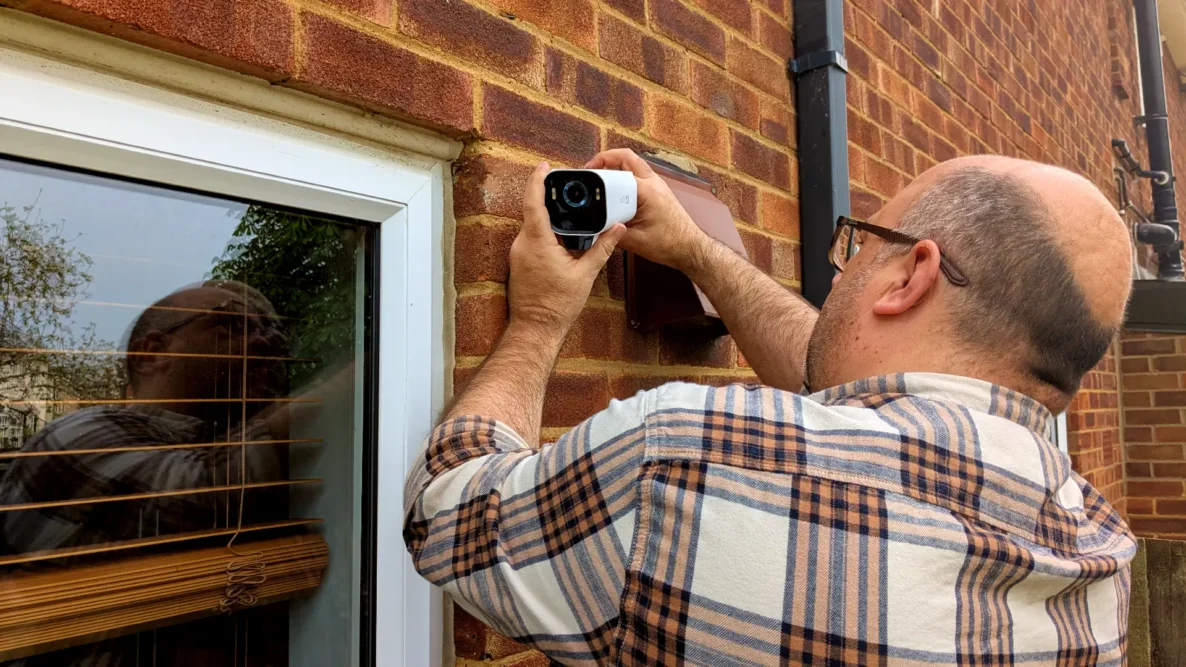
The camera screws directly to the mount and can be tweaked and adjusted using the livestream, via the app to your phone, to find the perfect angle. With the position set, tighten the mount and you’re good to go.
We’ve got one mounted in the garden, just above the kitchen window. It covers the entire garden, with the two-way communication able to easily pick up speech anywhere within view of the camera. The other overlooks the driveway, where there’s often a posh car parked up, providing a little extra peace of mind.
EufyCam S3 Pro 2-Cam kit: Is it any good?
Home security systems used to offer grainy, black and white footage that lacked detail and definition, but thankfully, those days are well and truly behind us. The clarity and quality EufyCam provides are outstanding, particularly in low-light conditions at night.
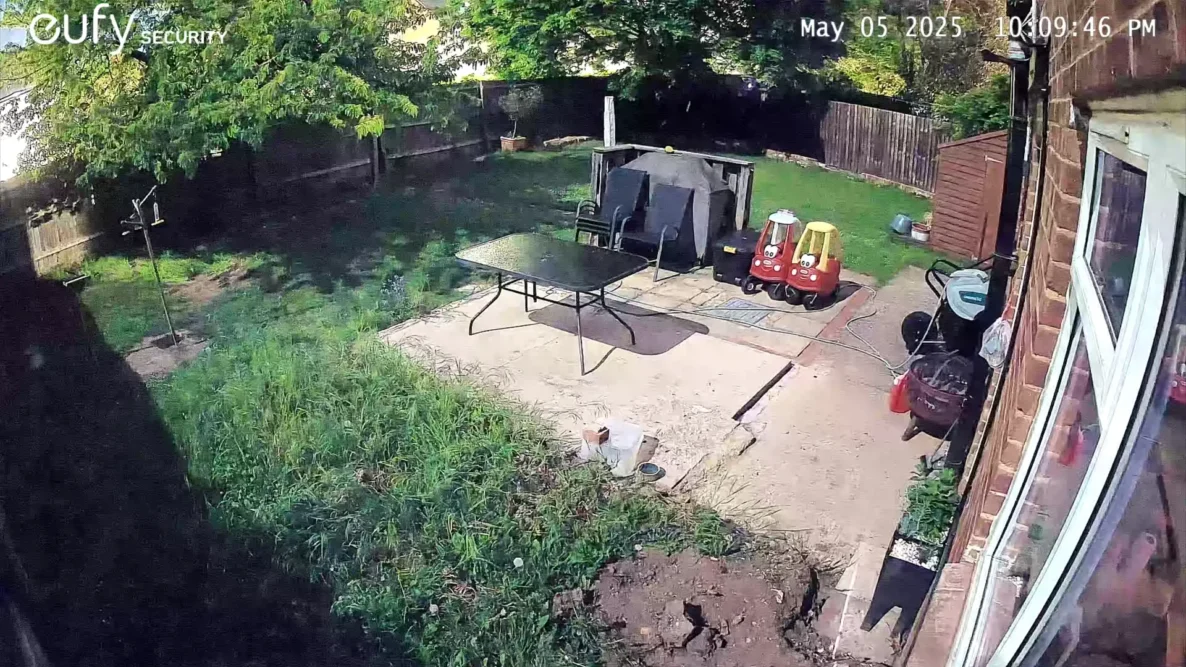
This is primarily due to the combination of 4K cameras and MaxColor Vision technology used by Eufy. While each camera is fitted with a floodlight to illuminate the scene if needed, the tech can provide such clear images — including in full colour in the middle of the night — these are likely to be used rarely.
The cameras are equipped with dual motion detectors that use both radar and passive infrared (PIR) technology to detect movement. The AI built into the base station makes the system intelligent enough to identify the human form, reducing the incidence of false alerts from pets and wildlife and giving you increased peace of mind that if it pings, it’s pinging for a reason.
The only real stumbling block we encountered while testing the EufyCam system was the weak WiFi signal in some areas of our home. To feed the data back to the base station, each camera needs to be able to create a stable WiFi connection. Ours, like many other homes, has the odd spot that is less connected, but unfortunately, one happened to coincide with where we wanted to put a camera. It was a pretty easy fix, though, as we just moved one of our WiFi extenders.
EufyCam S3 Pro 2-Cam kit: The verdict
In a world that seems to become more unpredictable by the day, protecting your home with security cameras for added peace of mind has become more important to many of us. The EufyCam S3 Pro 2-Cam kit is an excellent choice for those less technically adept, with minimal setup and fitting required. Everything is made simple to follow through the well-sorted app, and although some settings are harder to find than others, nothing is really too challenging.
While the initial costs may be higher than some other options on the market, there are no ongoing subscription costs. With every month of use, that cost gap narrows.
What really makes EufyCam stand out from the crowd is the superb quality of the images it captures. These relatively compact, neat-looking solar-powered cameras capture incredible detail, even at the dead of night. The cameras have a wide enough lens to provide good coverage without distorting the image, so if you do ever need to use the footage, as long as the cameras are well-positioned, EufyCam will have you covered.
Reviewed: EufyCam S3 Pro 2-Cam kit
Price: £499
Average Janes Rating: ★★★★☆
